⇄
Delta transfers
rsync sends new and modified data instead of blindly transferring everything again.
RsyncZilla combines a clean, FileZilla-style dual-pane interface with the reliability and efficiency of rsync over SSH, an integrated terminal, and a built-in AI MCP server. Drag, drop, resume, edit and sync without babysitting your transfers.
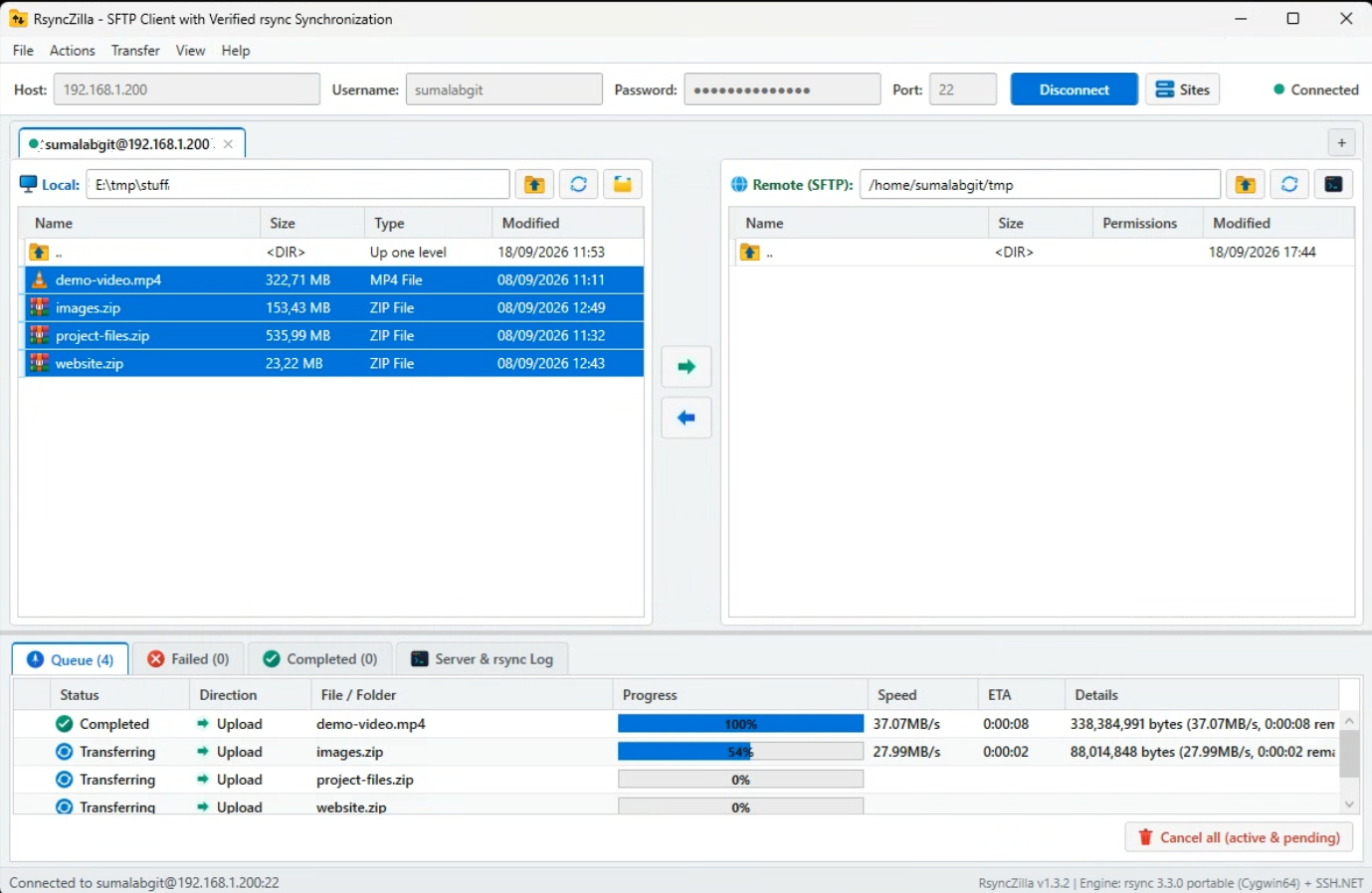
Built for people who move files to servers every day and want transfers to be fast, obvious when they fail, and easy to recover.
rsync sends new and modified data instead of blindly transferring everything again.
Large transfers are designed to recover cleanly instead of forcing you back to square one.
Clear exit codes, failed-transfer history and readable logs make transfer errors hard to miss.
Move files between local and remote panes, or drag them straight in from Windows Explorer.
Open an authenticated terminal directly in the current remote directory with a shortcut.
Open a remote file in your editor and automatically upload changes again when you save.
RsyncZilla includes a built-in MCP Server for Claude, ChatGPT, Antigravity, Cursor, and Windsurf.
Every terminal tab is labeled (MCP1), (MCP2), etc. so you can tell the model which server to inspect,
while watching every command stream live in your terminal without ever exposing your SSH passwords.
The interface stays intentionally familiar: local files on the left, remote files on the right, a transfer queue below. Underneath that simple workflow, RsyncZilla uses portable rsync over SSH for atomic, resumable transfers and real error reporting.
Grab the Windows installer or portable build from GitHub Releases and start transferring with rsync.
Go to Releases